

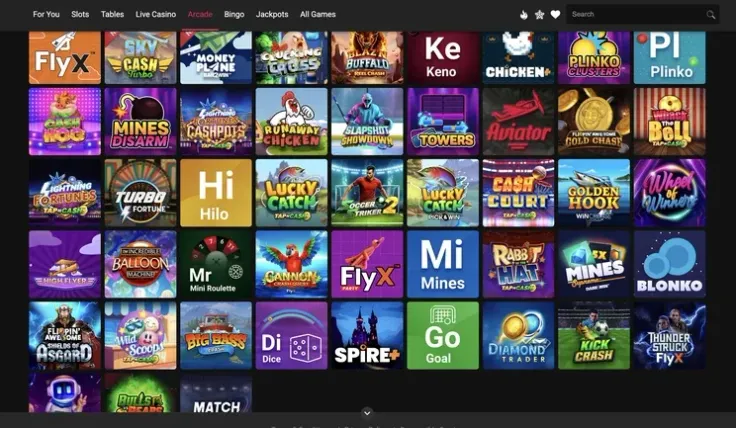
Spin Casino mobile play works in your phone's browser, with no download needed. The same Spin Casino website that opens on a computer opens on an iPhone or an Android phone, and you log in with your usual account or create a new one there.
Native apps also exist for both platforms. If you prefer an icon on your home screen over a browser tab, the app page covers them, with separate guides for the iPhone app and the Android app. This page focuses on the browser version, which is the quickest way in.
What you can do on your phone

The mobile site is the Spin Casino website opened on a small screen. You can log in through the login page, or new players can sign up straight from the phone. The games are there too, including the slots and the live casino, so the choice is not limited to a short list of mobile titles.
Playing on a phone changes how you use the site rather than what the site is. A few practical differences are worth knowing:
- The screen is smaller, so paytables, game rules and long terms take more scrolling. Read them before you play, not after.
- Live dealer tables stream video and need a stable connection. Wi-Fi is usually steadier than mobile data.
- Touch controls replace the mouse. Each spin or bet is something you start yourself, so keep an eye on what you tap.
- Holding the phone in portrait or landscape suits different games. Try both before deciding that a game is awkward on mobile.
If you already play on a computer, nothing about your choice of games is tied to the device. Many players use the phone for short sessions and a larger screen when they want to read a game's paytable or terms properly.
Before you start any game on a phone, open its information or rules screen and check the features, the RTP and the volatility. A small screen makes it easy to skip that step, and it is the part that tells you how the game actually pays.
Browser, iPhone app or Android app

You do not need to install anything to play. Open your phone's browser, go to the Spin Casino website and log in. The steps above show how to add the site to your home screen for one-tap access. That shortcut opens the same website, so the games and your account stay the same.
An iPhone app and an Android app are also available. If you want one, download it only from the app store your phone provides: the App Store on iPhone, or the store your Android phone uses. Do not install an app from a link in a message, a forum post or a file someone sends you. An app from an unknown source can carry malware or take your login details.
If you are not sure which version to use, the app overview explains what each platform offers and links to the iPhone and Android guides. You can also start from the visit Spin Casino link and choose the version you prefer.
Which one should you pick? The browser version suits you if you want to start straight away, use more than one phone or keep storage free. An app suits you if you want a dedicated icon on your home screen.
Keeping your account safe on a phone

A phone is easy to lose and easy to hand to someone else, so protect it first.
- Set a screen lock with a passcode or biometric unlock, and do not share the device with anyone who could open your casino session.
- Use a password for your Spin Casino account that you do not use anywhere else. If you let the browser save it, remember that anyone who unlocks the phone can then log in.
- Log out when you finish, especially on a shared or borrowed phone.
- Avoid public Wi-Fi for logging in or making payments. If you must use it, keep the session short and log out afterwards.
Mobile data is the other thing to watch. Slot sessions are light, but live dealer video can use a noticeable amount of data. If your plan is limited, switch to Wi-Fi for live tables or check your usage first.
A phone also makes it easy to play in short, unplanned moments, which can blur how much you have spent. Use the account's own tools, such as deposit limits and breaks, to keep your spending where you decided it should be, and see the safer gambling page for what is available. If you need to check your balance or past deposits, do it deliberately rather than while a game is open.
If a payment or login problem comes up on the phone, the deposits page and the withdrawals page explain the payment steps, and the contact page shows how to reach support.